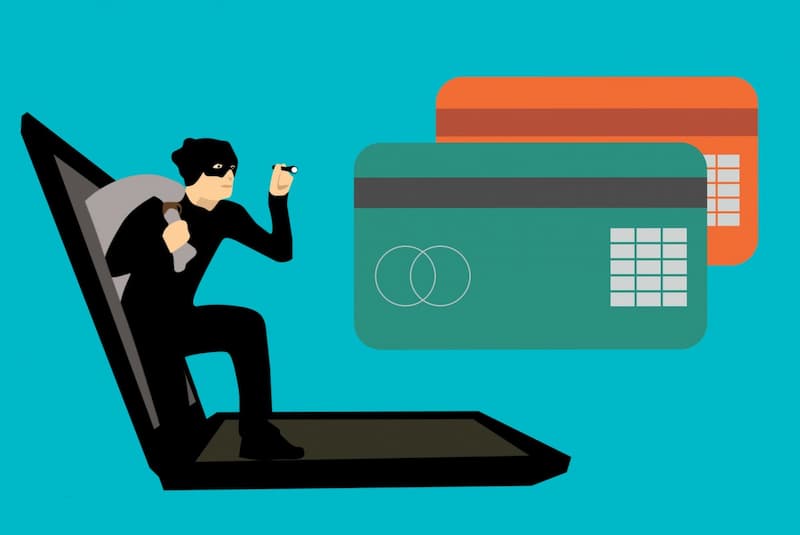
The number of internet users is growing every day. This can be an opportunity for phishers to target new internet users. Even many experienced internet users still don’t understand what phishing is or how to avoid it, so they fall victim to these attacks.
Phishers can target any internet user indiscriminately. That’s why it’s crucial to understand this form of cybercrime so you can avoid it. Read this guide to become more savvy in dealing with these attacks.
What Is Phishing?
The term “phishing” comes from the word “fishing.” In this context, phishers try to lure their targets into voluntarily providing sensitive information. The types of data provided include personal information (name, address, age), account details (username, password, phone number), and even financial data (bank account numbers or credit card information).
Phishing is classified as a cybercrime because it causes both material and emotional harm to victims. Phishers identify targets or devise strategies to gain your trust. Typically, they impersonate an official authority and send emails containing fake links. Some even create fake websites that closely resemble the genuine ones, making them difficult to distinguish.
Victims who fall for the scam click on these links and enter the requested information. Phishing perpetrators then use this data for illegal activities, including money laundering.
What Types of Phishing Should You Be Aware Of?
Phishing methods are highly diverse, leading to various types of phishing. Be on the lookout for the phishing activities listed below so you don’t fall victim to them.
1. Email Phishing
This type of phishing most commonly affects Indonesian internet users. Perpetrators send mass emails and target potential victims at random. The content typically includes an invitation to click on a link attached to the email.
2. Spear Phishing
Spear phishing is carried out via email, so it falls under the category of email phishing. Perpetrators target specific victims. They first gather basic information about potential victims—including their email addresses—to make it easier to reach them.
3. Clone Phishing
This type of phishing is extremely dangerous because it’s difficult for victims to detect. Attackers duplicate an authentic email that has already been sent, then modify its content. They replace the original link with a fake one containing malware, and send it using a fake email address that closely resembles the original.
4. Whaling
As a business owner or manager, you must be aware of this activity because it targets individuals in positions of authority within an organization. Attackers will request sensitive company information—particularly financial data—and use it for their own gain.
5. Web Phishing
This type of phishing uses fake websites that look almost identical to an organization’s official site. They also use similar domain names or website addresses to make victims trust the site without double-checking it.
What Are the Characteristics of a Phishing Attack?
This crime has become so common that its characteristics are easy to recognize. Review the phishing characteristics below so you can be more vigilant.
1. Requesting Sensitive Information
Phishing emails or websites always contain messages asking you to enter sensitive data such as PINs, passwords, OTPs, or credit card CVVs and expiration dates. For your information, banks or fintech companies will never ask for your PIN or OTP.
2. Using a Fake Identity
Phishers always claim to represent a company or even someone close to you. Even if the name is the same, the email address or phone number used is slightly different from the original. When questioned, they may make up a story to gain your sympathy for their situation.
3. Sending Malicious Links or Files
Phishers always send fake links or files as part of their scheme. They try to convince you to click on these links as a condition for receiving certain rewards, such as discounts or gifts.
4. Email Content Containing Threats or Persuasive Language
This tactic is often used in conjunction with the previous point. Phishing emails or websites will display persuasive or threatening language to manipulate you into making a quick decision. For example, a promotion that’s about to expire or a threat to block your account if you don’t enter your PIN.
5. The Recipient’s Name Is Not Specified
Phishers—except for those engaged in spear phishing, clone phishing, or whaling—always target victims at random. It’s no surprise that the name listed in the email isn’t specified, such as “To the Esteemed Sir” or “Dear Respectable Member.” Essentially, the victim’s name isn’t mentioned at all.
How Can You Avoid Phishing?
Don’t worry—you can still avoid these attacks so they don’t lead to cybercrime. There are many ways to prevent these attacks, including:
1. Understand How Phishing Works
Phishing tactics are becoming increasingly sophisticated, so you need to understand how they operate. You can search news portals for information on past phishing cases to learn about the types of phishing attacks that have been launched.
2. Check the Email Sender
You need to carefully check the sender’s email address. If it appears to be from a well-known organization, verify it against the information listed on their website. If you receive an email from someone you know, you should confirm the validity of their email address directly.
3. Block Spam Emails
You can immediately block a phishing email if you’ve already opened it. However, you should avoid opening spam emails in the first place. You can use the Cloudmatika Mail Buster service, which automatically blocks phishing emails from reaching your inbox.
{{blogcard id=”208″}}
4. Avoid Clicking Links Randomly
This tip applies not only to emails but also when you’re browsing the web. Use this trick to ensure the safety of a link before clicking it: hover your cursor over the link, then look at the bottom of the screen. If you’re using a smartphone, you can tap the link and hold it for a few seconds until the full URL appears.
5. Check Website Security
A secure website will definitely have an SSL certificate. The indicators are simple: a padlock icon and the text “HTTPS” in the address bar. The latest browser versions will also display a “Not Secure” warning on the screen if the website you’re trying to visit isn’t secure.
6. Be Cautious When Providing Sensitive Data
Don’t carelessly provide sensitive data to emails or websites suspected of phishing. Make sure the website you’re visiting is legitimate and has an SSL certificate before you send any sensitive data to them.
7. Don’t Be Easily Enticed
Don’t immediately trust emails offering prizes or discounts with fantastically high amounts. Such offers will sound impossible if you’ve never shopped with or entered a contest hosted by that company.
8. Use Two-Factor Authentication
What if a cybercriminal has already obtained your account information? The solution is to enable two-factor authentication for layered security. In addition to a password, you can protect your account with biometrics, OTP codes, or verification questions.
9. Scan for Malware Regularly
You might unknowingly download malware from a phishing attack that operates secretly and goes unnoticed. To address this, you need to run a malware scan using Acronis Cyber Protection from Cloudmatika. This software stands out from other antivirus solutions because it uses AI-based protection while also backing up your data.
Acronis Cyber Attack Protection is fully compatible with over 20 platforms, including widely used Microsoft and Apple platforms. Want to learn more? Contact Cloudmatika right now and enhance your computer system’s security against malware attacks with our services.
We hope this article on what phishing is helps you avoid this dangerous form of cybercrime.