
Stop Spam Email: Easy and Effective Steps
Types of Spam Email You Need to Know
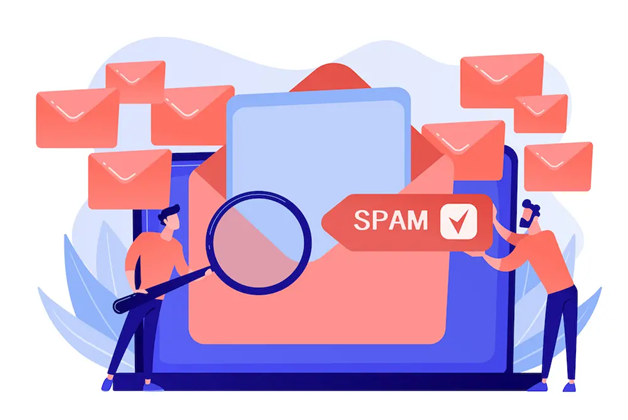
Spam email, which refers to unsolicited emails sent in bulk without the recipient’s consent, is named after a British comedy sketch featuring an annoying repetition of “spam.” Just like the repetition of that word, spam emails flood recipients’ inboxes indiscriminately.
In addition to spam, there are various other types of annoying, unsolicited emails, such as phishing emails designed to steal sensitive information, emails containing viruses that can damage systems, and targeted emails intended to manipulate recipients.
Email Phishing
Phishing emails are fraudulent attempts to steal personal information such as IDs and passwords. The perpetrator sends a fake email that appears to be from a trusted source, then directs the recipient to click on a malicious link (URL) that steals their data.
Indonesia saw a significant increase in phishing email cases in 2022, with 164,131 cases reported by the National Cyber and Crypto Agency (BSSN). Of these, most cases involved personal emails, totaling 59,210 cases, followed by group emails with 52,744 cases and other email categories with 52,177 cases.
Additionally, BSSN noted that phishing schemes impersonating government agencies are becoming increasingly common. In 2024, BSSN issued a warning regarding phishing attempts posing as official agencies, stressing the importance of public vigilance against suspicious messages that may appear via various communication channels, including email and SMS.
Email Viruses
Virus emails are unsolicited messages that can infect the recipient’s device if opened unwittingly. This infection can occur through various means, such as malicious external links, infected attachments, or even malicious scripts that automatically activate when the email is opened. The impact of these infections is serious: every time an infected device sends an email, the virus spreads to other recipients, creating an endless chain of infection.
Furthermore, infected devices can be remotely controlled by attackers, who can use them to send large amounts of spam emails or even steal, corrupt, or delete important data stored on them.
Targeted Emails
Targeted email attacks have become more prevalent in recent years, surpassing ‘bulk’ emails sent without a specific target. These emails are designed to trick an organization’s staff into opening the email under the false impression that it is work-related. The ultimate goal is to identify the target and steal sensitive information.
What makes these emails difficult to detect is their ability to masquerade as legitimate business communications. Email subjects such as “New product inquiry” or “Job inquiry” are often made to appear work-related, so less vigilant recipients are more likely to click on malicious attachments.
How to Handle Spam in Your Inbox
Identifying spam emails is essential to keep your personal information safe. There are several important points to note when recognizing spam emails; quick action is required if you encounter them. Here, we will discuss five effective ways to deal with spam emails, ranging from actions to take immediately when receiving a suspicious email to preventive measures that can be taken to minimize future risks.
Don’t Open URLs or Attachments Carelessly
When receiving suspicious emails, it is crucial to be cautious. Do not rush to open any links or attachments they contain, as this may lead you to a fake website or cause you to download a malicious program. Furthermore, some spam emails are designed to verify your email address when you click on a link, allowing the sender to confirm that the address is active and in use.
Block Spam with Filters
As mentioned above, it is difficult to manually identify spam emails since some are designed to look like legitimate emails. Therefore, it is best to use a spam filter to block them automatically. You can add the sender’s address of spam emails to a block list. However, many email service providers also offer more advanced features, such as blocking emails containing URLs for dating sites, adult sites, or illegal sites. Take advantage of these features to improve the security of your email account.
Reporting Spam Emails to Authorities
Mobile phone companies and service providers have implemented filtering systems to block spam and junk email. To strengthen protection, users can also enable spam-blocking features on their devices, creating a double layer of security.
However, if spam emails still bypass these defenses, it is essential to report them immediately to the relevant company or mobile service provider. This enables them to take further action and improve the filtering system.
In a corporate setting, reporting the issue to the information security department is highly recommended if other employees or departments receive similar spam messages. This helps share critical information and prevents spam from spreading further within the organization.
Cleaning the Spam Folder
Even if spam email blocking is enabled—which should redirect the email to your junk folder or delete it automatically—some spam emails may still end up in your inbox. This poses a risk because even if you’re initially careful not to open the email, there’s a chance you might accidentally open it later. Therefore, if you suspect spam emails in your inbox, the best course of action is to move them to the trash or permanently delete them immediately.
Changing Your Email Address
If various spam prevention measures have been tried and failed, it may be time to consider changing your email address. For business owners, notifying all essential contacts can be a time-consuming task. However, if the situation has become highly disruptive, this drastic measure may be necessary to avoid becoming a victim or a source of spam.
Quick and Proper Steps If You Accidentally Open a Spam Email
Spam emails come in many different types and pose various potential dangers. Some may execute malicious programs upon opening, infecting the computer with viruses. In contrast, others may contain malicious URLs or attachments that do not cause immediate damage.
If you have opened a suspicious email, immediately shut down your computer, unplug the LAN cable, and turn off the Wi-Fi connection. This step is essential to prevent the virus from spreading to other devices on your network. Remember that some spam emails are sent simply to verify that the recipient’s email address is active.
While harmless when opened, this may result in a surge of spam emails in the future as your email address is considered valid.
Virus Scanning with Antivirus Software
When your computer suddenly goes offline, a crucial first step is to run a thorough virus scan using trusted security software.
If a suspicious email is the trigger—especially one that can infect your system simply by being opened—immediate action is necessary. If a virus is detected, remove it immediately and note the virus type for future reference.
Whether or not a virus is detected, report the incident to your security software support team or corporate security department. This step is essential to prevent further spread and enhance overall system security.
3 Keys to Avoiding Spam Traps
In the digital business world, email inboxes are often flooded with unwanted messages, ranging from spam viruses to irrelevant marketing emails. As a business professional, you have a busy schedule and may accidentally open suspicious emails. Therefore, it is essential to know how to distinguish between spam emails and legitimate emails. By understanding the characteristics of spam emails, you can protect yourself from potential security threats and maintain productivity. This article will guide you in identifying spam emails and provide practical tips to manage your inbox more effectively.
1. Is the Email Address Correct?
Beware of unsolicited emails! The first step to identifying them is to check the sender’s email address. Emails from unknown senders are easy to spot, but fake emails posing as business partners or colleagues are often harder to detect. Pay close attention, as scammers often swap the lowercase ‘o’ with a ‘0’ or vice versa. You can protect yourself from scams and keep your inbox safe by being extra vigilant.
2. Is the Email Address Unreasonable?
In addition to checking the sender’s address, it’s also important to scrutinize the ‘To’ field in the emails you receive. Be on the lookout for email addresses that seem suspicious or unfamiliar. If you receive an email not intended for you, it is most likely an automated email sent via BCC (blind carbon copy). BCC allows the sender to send copies of an email to multiple recipients without them knowing each other. Emails without a specific address, especially those that aim to collect email addresses, should be treated with caution as they could be part of a phishing attempt or spam campaign.
3. Make sure the contents of the email are clear and not suspicious
In addition to the sender’s address, pay close attention to the content of the email. Spam emails often use unusual language, such as stilted English or strange Japanese, especially if they come from overseas. If you find an email with these characteristics, immediately mark it as spam and delete it. However, beware of increasingly sophisticated spam emails. Some even mimic the writing style of legitimate business emails, making them difficult to distinguish just by their content. Therefore, always be cautious and verify all email elements before taking any action.
5 Reasons Why You Need Anti-Spam
Many companies, especially small and medium-sized enterprises (SMEs), assume they are safe from spam attacks. The belief that “we aren’t a target” or “we’ve never been hit, so we’re safe” is incorrect. The cost of dealing with spam is significant, but the consequences of inaction are even more costly.
This article will explore five crucial reasons why anti-spam measures should be implemented immediately, along with the risks of ignoring them.
1. Increased Risk of Virus Infection
The absence of robust anti-spam protection significantly increases the risk of virus infection, which can lead to the theft of confidential data or severe damage to business systems. The consequences include financial losses from compensation claims or system shutdowns, as well as the loss of customer and stakeholder trust. In the worst-case scenario, this risk can even lead to bankruptcy.
2. Lost Important Emails
Neglecting to prevent email spam can be fatal. Virus attacks infiltrated through spam can potentially steal confidential data or significantly damage business systems. The impact is financial loss due to lawsuits or system shutdowns and loss of trust from customers and stakeholders. In the worst-case scenario, the company may even go bankrupt.
3. Reduced Work Efficiency
Allowing employees to handle spam emails individually without a unified company strategy will decrease work efficiency. Increasingly sophisticated spam emails are time-consuming and difficult to identify, so delaying their handling can reduce employee productivity and engagement.
4. Increased Risk of Phishing Scams
Among unwanted emails, some are designed to carry out phishing scams. As mentioned earlier, personal information such as credit card numbers, IDs, and passwords may be stolen if you fall victim to a phishing scam.
It should be noted that “phishing” does not come from the word “fishing,” which refers to catching fish, but rather “phishing.” The term is a combination of the words “phishing,” meaning “to deceive,” and “fishing.”
5. Server Overload Due to the Volume of Incoming Emails
A large volume of incoming emails can overload the server. Spam emails not only burden employees but also the system. Bulk emails can cause the server to experience downtime or delays in sending emails.
Additionally, to reduce the load on such systems, email server administrators must constantly delete spam emails from the server every day. As a result, work efficiency also decreases.
6 Effective Ways to Prevent Spam and Phishing Emails
While knowing how to handle incoming spam emails is essential, preventive measures are far more effective. Just as maintaining a healthy body requires diet and exercise, protecting your email from spam requires good habits. This article will discuss six practical steps you can take daily to minimize your risk of being scammed. By implementing these steps, you will protect yourself from unwanted email intrusions and keep your data safe.
1. Creating More Complex Email Addresses
Spammers often guess the characters likely used in an email address to send messages. Therefore, if your email address is a simple combination of letters and numbers, you’re more likely to fall victim to spam.
According to Japan’s Ministry of Internal Affairs, creating email addresses with three levels of complexity can reduce the risk of receiving spam. Addresses with low complexity, like “ab123,” are more susceptible to receiving spam emails.
Instead, the spam acceptance rate can decrease significantly by combining numbers, symbols, and letters to create a long and complex email address.
2. Don’t Publish Email Addresses on the Web
You may want to include an email address on your website so visitors can contact you regarding services or products, but this is best avoided.
If you absolutely must include it, it is recommended to obfuscate the email address. This way, the email address will appear normal in the browser but is difficult to identify as an email address in the HTML code.
This reduces the likelihood of your email address being automatically harvested by spammers. Additionally, as many companies do, it is better to provide a contact form for communication rather than using an email link.
3. Check with the service provider when registering an email address
Another consideration regarding email addresses is to verify the service provider. Free online services are convenient, but there is a risk that your email address could be leaked through the service provider.
Therefore, when using a free email service, ensure the service is genuinely trustworthy and verify who manages it. If you are unsure of the service’s reliability, using a disposable email address can be a safe alternative.
4. Considerations for Using Chat Tools and Cloud Services
Email is an essential business tool for sharing information, but it is often subject to spam. On the other hand, chat tools do not have that problem. While there are situations where communication via email is necessary, we should utilize chat tools to interact with coworkers or business partners to reduce the frequency of email use. Additionally, cloud services are a powerful tool for sharing information.
With cloud services, not only do we avoid worrying about email spam, but we can also share larger files or more information than is possible with email communication.
5. Use of Filtering Settings on the Server
Filtering is a function that automatically determines whether a received email is spam or legitimate. This filtering is based on the sender’s IP address or domain, and emails identified as spam are blocked from being received.
There are several types of filtering settings, but the most common is the “Blacklist.” In this setting, emails that are potentially spam are added to a list, and senders on the blacklist are blocked.
6. Using Security Software
A critical step in dealing with spam emails is installing security software. Not only is this software necessary to protect company information from cyberattacks, but it is also effective in dealing with spam emails.
To select the right tool from the various security software options available, it is essential to consider their high detection rate for spam and other types of intrusive emails, as well as their low false-positive rate.
Protect Your Information Assets with Cloudmatika Mail Buster: A Smart Cloud-Based Anti-Spam Solution
Cloudmatika Mail Buster is a cloud-based email security solution designed to protect your company’s information assets from the threat of spam emails and malware. With continuously learning artificial intelligence (AI) technology, Mail Buster accurately detects and blocks 99.98% of spam, ensuring only safe emails reach your server.
Key Advantages of Cloudmatika Mail Buster:
This cloud-based solution eliminates the need for software installation and manual updates, significantly reducing server load by 80%. Powered by AI technology, the system features self-learning capabilities to continuously improve the detection of new spam and malware patterns.
The protection provided is comprehensive, filtering not only incoming but also outgoing emails, thereby preventing the spread of spam from company servers and safeguarding brand reputation. Ease of use is a priority, with an intuitive web-based management interface that requires no specialized training.
Secure & Grow Your Business with Cloudmatika
Cyber threats and service disruptions can happen anytime, directly impacting your operations and customer trust.
Cloudmatika provides a complete cloud & cybersecurity solution — from WAF and Cyber Protection to Cloud Storage — to keep your business safe and running smoothly.
Talk to our team about your infrastructure needs today.



