Some business owners receive a portion of their work while meeting deadlines. They also meet with colleagues who are out of town. Meanwhile, there are important matters that need to be discussed in depth and quickly. For these reasons, leading business owners are choosing to use Zimbra email, which offers many advantages at an affordable price. Zimbra Email itself isn’t just used as a business email solution. It can also be used to meet the needs of organizations or individuals. Zimbra was founded by Satish Dharmaraj as a startup in December 2003. In 2007, Zimbra was acquired by Yahoo. In February 2010, VMware acquired it from Yahoo to enhance its virtualization infrastructure into a more comprehensive cloud platform. In 2013, Zimbra was acquired by Telligent and renamed Zimbra, Inc. As an email platform, it was rebranded as Zimbra Collaboration. Then, in 2015, it was acquired by Synacor
5 New Features of the Zimbra Mail Server
Zimbra Collaboration is one of Synacor’s products for email and contact collaboration. It can also be used for calendars, tasks, and chat. This mail server product has been adopted by private companies, government agencies, and universities. As an operational email solution, it offers top-tier features, ease of use, and straightforward implementation. On April 8, 2020, Zimbra officially announced its latest version: Zimbra 9. This new version required extensive testing and improvements, one of which is evident in the email platform’s more responsive user interface (UI). It features modern, user-friendly functionality. This new version also brings greater reliability, performance, and scalability. Synacor has taken a solid and exciting step forward with Zimbra 9, serving as a stepping stone for partners and customers on the path to Zimbra X
For those of you who are still unsure what’s new in the Zimbra 9.0 Mail Server, take a close look at the following points and explanations
- Modern and Responsive Interface
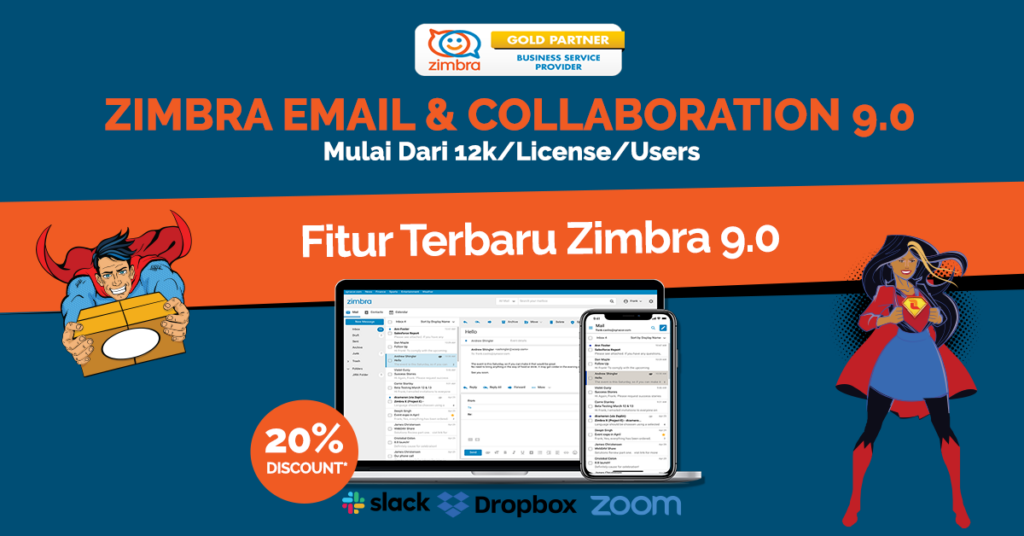
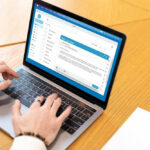
As briefly mentioned earlier, Zimbra 9 introduces a modern and responsive user interface (UI) that enhances the email experience. The modern interface of Zimbra 9 is simpler, more responsive, and fresher, making it a pleasure for users to spend hours on this email platform. Zimbra 9 can be accessed from a wide variety of browsers, including desktop browsers (laptops/computers), mobile devices, and tablets. Because the Zimbra 9 platform is more responsive, it’s also easier for users to navigate. Although it comes in a modern version, Zimbra 9 also offers a classic version for those who aren’t yet comfortable with the modern interface
- Privacy Policy
The latest Zimbra 9 has been designed to enableout-of-the-box integration with popular applications. For example, with Slack (a messaging app), Zoom (a video conferencing app), and Dropbox (a file-sharing app). Zimbra is committed to creating an ecosystem that allows small businesses, organizations, and other companies to use features tailored to their needs. As a result, business owners will no longer face difficulties transferring important data or communicating with clients as needed in their daily operations. Therefore, you should have a Zimbra Email Server to support your business competitiveness
- Latest Zimlet Framework
Zimbra 9 also introduces the latest Zimlet Framework.
The Zimbra Zimlet Framework is supported by the Zimbra Zimlet Framework. Additionally, Zimbra will provide training on the Zimlet Framework to facilitate customization. Because of this advantage, interest in the Zimbra Mail Server is growing among medium- to large-scale organizations. Zimlets for Zimbra Drive, Zimbra Connect, and Zimbra Docs remain available for both Classic Web and Modern Web Apps
- Data Security & Privacy
Zimbra 9 runs on Zimbra’s reliable server infrastructure. To ensure data security and privacy, Zimbra is more secure than ever. This security is further reinforced by the release of the latest patches to enhance the security of the Zimbra Mail Server
- Easy Upgrade Process
The latest feature from Zimbra is the ease of upgrading to Zimbra version 9. Zimbra itself has provided tools and configurations for upgrading or updating. Zimbra 9 can run on-premises (in the client’s data center) and even on cloud services.
In addition to the Zimbra Email Server version 9 updates mentioned above. There is still some information you should know before upgrading to Zimbra version 9. This includes the following
- Languages supported by the modern web app include Chinese, English (US), French, German, Hindi, Indonesian, Italian, Japanese, Portuguese, Spanish, and Thai
- To use the modern web app, a Zimbra Network Edition license is required. Therefore, only clients using Zimbra NE can access the modern web app
- It is recommended to use the modern web application as the default web client. However, users can still choose between the modern web application and the classic web application upon login. They can also change the default view through the preferences menu
- The Briefcase cannot be used in the modern web application. If any users are using the Briefcase, they should use the classic web application to access it. For those still using the Briefcase, please migrate their data to Zimbra Drive immediately
These are some of the new features offered by the latest version of the Zimbra Mail Server. By expanding the availability of third-party applications, user adoption has successfully increased. If you’re interested in trying Zimbra Email & Collaboration, you can choose Cloudmatika as your download source. The upgrade process using Zimbra will be easier and faster. When you partner with Cloudmatika, you can choose a Zimbra subscription plan that suits your needs—whether it’s the paid/licensed version or the open-source version of Zimbra. Partnering with Cloudmatika ensures greater security and convenience. This is because Cloudmatika’s customer service is available 24/7. You can contact Cloudmatika’s customer service anytime, anywhere to ask questions about any issues you may have. The subscription packages are also very affordable. You only need to pay around Rp.12,000 per user per month. Wow, that’s really affordable, isn’t it? That’s why choosing Zimbra Email & Collaboration from Cloudmatika is the right choice to boost your company’s business performance
Contact Us for More Information & Offers
Email: sales@cloudmatika.com
Web: cloudmatika.co.id
Phone: 021 28565201
Facebook: Cloudmatika
Instagram: Cloudmatika
LinkedIn: Cloudmatik

 Cloudmatika / July 17, 2026
 Cloudmatika / March 30, 2026
 Cloudmatika / March 30, 2026
 Cloudmatika / March 26, 2026
 Cloudmatika / March 26, 2026