Are you currently confused about finding the right type of SSL for your website? First, get to know the various types of SSL so you don’t make the wrong choice. Read the full explanation in this article.
There are many factors to consider when choosing an SSL certificate service provider. One of the most critical is understanding which type of SSL is suitable for installation on your website. Indeed, the available types of SSL vary greatly, and each serves its own specific purpose. You need to familiarize yourself with each type of SSL to avoid making a mistake when securing your platform. Check out the complete discussion in this article.
What is Meant by SSL?
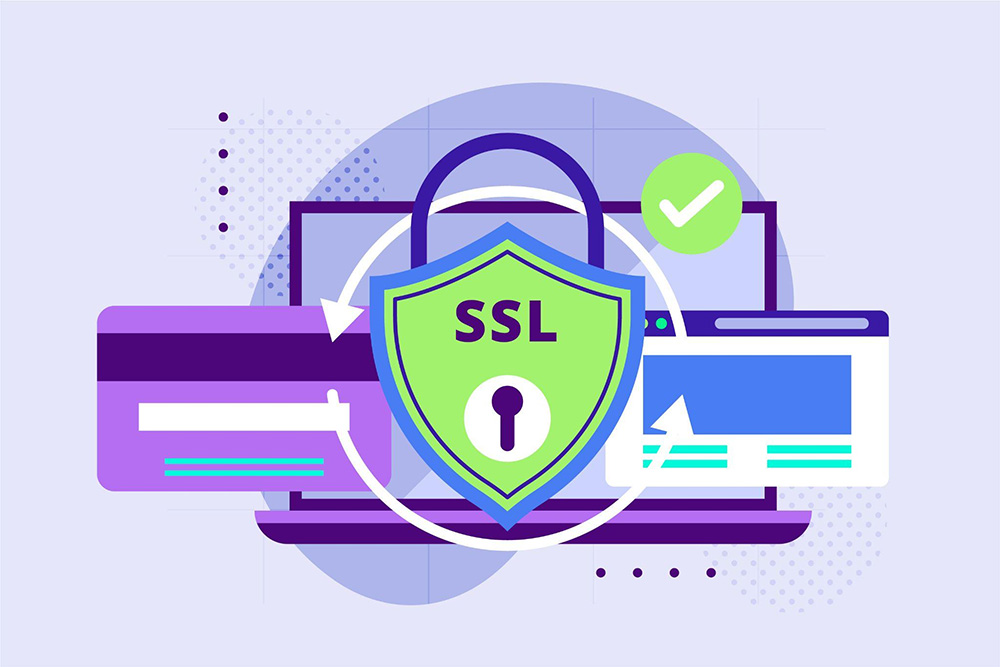
SSL, or Secure Sockets Layer, is a website component that ensures transactions or data transfers occur strictly between two parties. These parties can be a server and a client—such as in an e-commerce transaction—or a server and another server, such as an application accessing a database that stores personal information.
SSL works by ensuring that data transferred between two parties cannot be read by anyone else. It accomplishes this by fully encrypting the transferred data.
Owning an SSL certificate has become a mandatory standard that every website must meet, regardless of its type. Every modern web browser, such as Google Chrome, now explicitly labels websites without an SSL certificate as “Not Secure.”
Additionally, you might have also heard the term TLS. What exactly is TLS?
Simply put, TLS (Transport Layer Security) is the most updated and advanced version of SSL. However, most people still commonly refer to it as SSL, and providers selling SSL/TLS services frequently list it simply as SSL.
What are the Types of SSL Certificates and Their Uses?
Once you grasp the concept of SSL, it is time to understand its variations. The types of SSL are generally divided into two main categories: based on the number of domains secured and based on the level of validation required. Let’s get to know these SSL certificate types in more detail below.
Based on the Number of Domains
This category classifies SSL types according to the number of domains and subdomains they can protect, while the baseline security encryption strength remains the same. The types of domains in this category include single-domain, wildcard, multi-domain, and UCC. Here is the breakdown:
- Single-Domain SSL
- True to its name, a Single-Domain SSL can only protect one domain registered in the Certificate Signing Request (CSR) and all the pages within it. You cannot apply this SSL to protect any subdomains connected to the website.
- {{blogcard id=”200”}}
- For example: a single-domain SSL can protect the website cintaibudayaindonesia.com and all internal pages like [cintaibudayaindonesia.com/blog](https://cintaibudayaindonesia.com/blog). However, it will not secure its subdomain, such as shop.cintaibudayaindonesia.com. Using a single-domain SSL is less than ideal if your website relies on dedicated subdomains to handle online transactions.
- Wildcard SSL
- A Wildcard SSL can secure a main domain and an unlimited number of its first-level subdomains. To identify this, you can check the padlock icon in the address bar and click ‘Certificate’. If an asterisk (*) appears before the main domain name, it means all subdomains on that website are fully protected by the SSL.
- Multi-Domain SSL
- A multi-domain certificate is capable of providing protection to multiple distinct domains and subdomains. The exact number varies by provider, but it typically ranges from 100 to 250 domains. All of these domain names are listed within a single certificate. A website utilizing this type of SSL will display a list of names under the Subject Alternative Name (SAN) section, viewable in the certificate’s ‘Details’ menu.
- Unified Communications Certificates (UCC) SSL
- UCC is essentially an older version of the multi-domain SSL certificate. Websites or applications using a UCC are typically built on Microsoft Exchange or Live Communication servers. The specialty of this SSL lies in its features and functions, which are highly optimized for maintaining server infrastructure security.
Based on the Validation Level
This category differentiates SSL certificates by the depth of the vetting process. This means that the Certificate Authority (CA) will perform different background verification checks depending on the type of SSL you wish to deploy. What are the SSL types in this category?
{{blogcard id=”184”}}
- Domain Validated Certificates (DV) SSL
- DV has the most lightweight validation level, making it perfect for personal blogs or freelancers looking to showcase their portfolios. You only need to confirm domain ownership to the CA via a quick automated phone call or email. Websites with a DV SSL will show the padlock icon and the HTTPS protocol in the address bar, but they do not display the registered business name within the certificate’s ‘Details’ tab.
- Organization Validated Certificates (OV) SSL
- An OV SSL offers a moderate level of validation. Certificates at this level are fully capable of encrypting sensitive customer information, though the vetting process is not as rigorous as an EV. The CA will request formal verification regarding the validity of your business name, physical address, phone number, and legal status. A website with an OV SSL will display corporate location information in the certificate Details. This type of SSL is commonly used by small to medium enterprises to make their websites look legitimate and trusted by visitors.
- Extended Validation Certificates (EV) SSL
- The validation level for an EV SSL is exceptionally high because the CA will perform a detailed background check on the business, focusing heavily on its physical location, legal status, and operational details. A website utilizing an EV SSL will display detailed corporate name and country information within the certificate status. Large enterprises and corporations are highly recommended to use this to ensure customer data confidentiality is strictly preserved.
How to Choose the Right Type of SSL?
After identifying the different types of SSL, it is time to choose the ideal certificate type and service for your needs. Follow these strategic steps:
- Select the Right Validation Level
- You should choose your SSL type based on its validation level first, before calculating the total number of domains. When choosing a validation level, match it closely to the type of business website you operate. Avoid choosing a basic DV SSL for an e-commerce online store, as certificates at that entry level do not verify business legitimacy as comprehensively as an OV or EV.
- Determine the Number of Domains
- You need to map out exactly how many domains or subdomains require an SSL certificate. It is best to skip a single-domain SSL if your platform utilizes multiple subdomains that handle user data. Opt for a Wildcard SSL if you have just one primary domain but a vast network of subdomains.
- Analyze Traffic Capacity and User Count
- Your website’s visitor volume is an excellent indicator for choosing the right SSL type. A simple DV certificate is perfectly fine if your website traffic only hovers in the dozens or hundreds. Upgrade to an OV or EV if your visitors reach the thousands and your platform utilizes user login fields, ensuring email and password credentials remain perfectly shielded.
- Estimate the Certificate Issuance Time
- Keep in mind the turnaround time required to issue certificates at each SSL tier. Every level varies because the CA requires time to validate the submitted data. A DV certificate can be issued in just a few minutes, an OV takes up to three business days, while an EV can take several weeks due to manual auditing.
- Ensure a Warranty is Included
- It is highly recommended to look for an SSL certificate issuer that backs their product with a financial warranty. This warranty serves as insurance protection in the unlikely event of data breach vulnerabilities caused by a flaw in the certificate encryption. The higher the SSL validation tier you select, the larger the financial warranty provided by the SSL brand.
- Align with Your Budget
- While it is easy to find free SSL certificates on the internet, investing in paid SSL solutions is a smart move for safeguarding highly sensitive assets like data security. Research the service costs from reputable issuers and match them to your business budget. However, avoid lowering your required validation tier purely to save money if your website handles commercial customer data.
- Select a Trusted Certificate Authority (CA)
- Every CA has its own unique strengths and operational differences. However, you cannot go wrong with industry-standard solutions like Sectigo SSL. Sectigo SSL utilizes powerful 256-bit encryption, making it absolutely ideal for commercial online businesses. Its defense layers are multi-tiered, ensuring your website is exceptionally difficult for hackers to breach.
Interested in implementing Sectigo SSL but confused about the technicalities of registering and deploying the certificate? Cloudmatika is here to help you seamlessly obtain and install Sectigo SSL certificates for your corporate website.
With Cloudmatika, you get an SSL certificate featuring a full one-year duration backed by comprehensive security enhancements. What if you run into any technical difficulties while using your SSL certificate? You can immediately reach out to Cloudmatika’s 24/7 technical support team, and we will resolve the issue for you right away.
Contact Cloudmatika today to fortify your corporate website’s security and elevate your customer trust!

 Cloudmatika / July 17, 2026
 Cloudmatika / March 30, 2026
 Cloudmatika / March 30, 2026
 Cloudmatika / March 26, 2026
 Cloudmatika / March 26, 2026